Click on Draw Tangent Polygon icon.
Create Tangent Polygon dialog box appears. Click OK.
Click in drawing to select the first point of the tangent polygon. Continue with a selection of more points to create a tangent polygon. Press Enter.
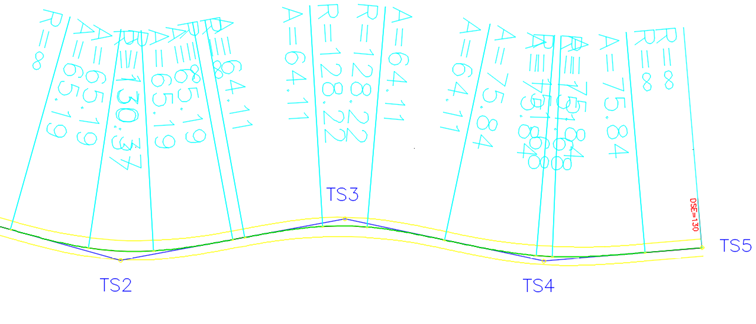
In Draw lanes and widenings dialog box choose vehicle combination to calculate widenings. Alignment parameters such as spiral lengths and radius values are calculated based on design speed defined in alignment name Category definition.
Confirm with OK.
In case horizontal elements do not match the selected standard, a warning message appears.
21L1 – Widening side option CGS 2025.1
PLATEIA 2025.1
The Widening Side option provides additional control over how roadway widening is applied when calculating expansions and drawing lanes.
The Draw Center Line option creates a center line between the first left and first right lanes, which can then be used for further roadway design.
Note: This functionality is specific to PLATEIA. The Draw Center Line option is available in all versions.
Widening Side
The widening side can be selected when using Calculate Expansions and Draw Lanes.
How to select the widening side
- Open the drawing containing the horizontal alignment.
- Start Calculate Expansions and Draw Lanes.
- In the calculation dialog, locate the Widening Side option.
- Select the required option:
- Inner Side – applies the widening to the inside of the curve.
- Outer Side – applies the widening to the outside of the curve.
- Both Sides – divides the widening between the two sides.
For example, if the calculated widening is 0.6 m:
- Inner Side places the complete 0.6 m widening on the inside.
- Both Sides divides the widening between the two sides.
The available option can be selected according to the technical specifications applicable to the road design.
Draw Center Line
The Draw Center Line option creates a line between the first left lane and the first right lane.
How to draw the center line
- Open Calculate Expansions and Draw Lanes.
- Enable Draw Center Line.
- Calculate the lane geometry.
PLATEIA creates the center line automatically and places it on a separate layer.
The generated line represents the center of the widened roadway and can be used as a reference for further design operations.
Using the Center Line for Further Design
The generated center line can be used with other roadway design commands.
For example, it can serve as a basis for creating line markings or other roadway elements using the available side-design options and commands.
Summary
The Widening Side option allows the calculated widening to be applied to:
- Inner Side
- Outer Side
- Both Sides
The Draw Center Line option:
- Creates a line between the first left and first right lanes.
- Creates the line on a separate layer.
- Provides a reference for further roadway design.
Video: 21L1 – Widening side option – CGS 2025.1